DataWeave Studio.
Write, run and debug DataWeave 2.0 on your own machine, without a 2 GB Anypoint Studio, a Docker container or a browser playground. You get context-aware autocomplete, visual message flows, real secure-property decryption and the full function reference. Install it from the Microsoft Store, as a desktop app, or right inside VS Code with no admin rights needed.
Everything the playground
should have been.
A focused DataWeave workbench with everything you need to write transforms, and none of the weight of Anypoint Studio.
The whole engine, right inside VS Code
No desktop installer, no admin rights, no "unknown publisher" prompt. The full DataWeave 2.12 engine ships as a VS Code extension, so you get the same autocomplete, tools and live playground in the editor you already use.
Install from the VS Code Marketplace →739 problems, graded by the real engine
Learn DataWeave by doing it, across 40 topics and six levels. Write a script, fix a broken one, predict what a snippet returns, or pick the right answer. Your solution runs against test cases you can’t see, so passing means it works. Hints, a trace of every value and a worked explanation are there when you’re stuck.
Send a whole setup in one link
Copy a link that carries the script, payload, variables, headers and query params, for one request or the whole workspace. Whoever opens it gets the same setup and can press Run straight away, instead of rebuilding it from a snippet.
Monaco script engine
Suggestions come from your own payload, variables and config, plus every reader and writer option for 16 formats, so output application/json completes instead of leaving you guessing. Syntax colouring, bracket pairing and inline errors as you type.
Interactive message-flow designer
Drag connectors onto a canvas, set payload contexts, map HTTP, Salesforce and database steps, then step through node by node and inspect the payload, variables and attributes at each stage. The structure of a real flow, without starting a runtime.
OpenAPI & Swagger reader
Open a 3.x or 2.0 spec, browse its operations and types, and drop a sample payload plus a matching DataWeave skeleton straight into the workspace. Resolves $refs, enums and allOf/oneOf.
Your AI assistant can run DataWeave
A built-in MCP server lets Claude, Cursor or any MCP client compile and run transforms against the real engine, so your assistant checks its DataWeave instead of guessing.
361 functions and the official cookbook
The complete function reference, searchable and docked in the workspace. Plus MuleSoft’s cookbook examples, each one run against the bundled engine and kept only if it works.
Encrypt secure properties without a website
The usual encryption tools are websites, which go down and are often blocked on corporate networks. Here it’s a dialog in the app: AES, Blowfish, DES, DESede and RC2 across CBC/CFB/ECB/OFB, byte-for-byte compatible with Mule’s secure-properties-tool. Paste a real secure-config.yaml with ![…] values and run scripts against the decrypted result.
cURL importer
Paste a raw curl string from Postman or devtools and get method, headers, query params and body filled in, with a matching DataWeave scaffold for whatever format the body turned out to be.
Tests, and a diff that ignores noise
Snapshot a transform’s output as its expected result and re-run it as a test suite. Compare two payloads side by side, with an Ignore IDs toggle that blanks doc:id and UUID churn so you only see the changes that matter.
Bundled DataWeave engine & JRE 17
Works the moment the installer finishes. It ships with JRE 17 and MuleSoft’s DataWeave engine, so there’s no PATH, JDK or global config to set up.
Postman-style collections
Group related transforms in one workspace. Each request keeps its own script, payload, context, named inputs and tests. Search inside them, pin the ones you use most, and pick up where you left off.
Dark & paper themes
Switch between a high-contrast dark space and a clean paper-light layout to match the rest of your environment.
See it in motion.
Fast, visual surfaces for building and inspecting transforms. Click any frame to expand.
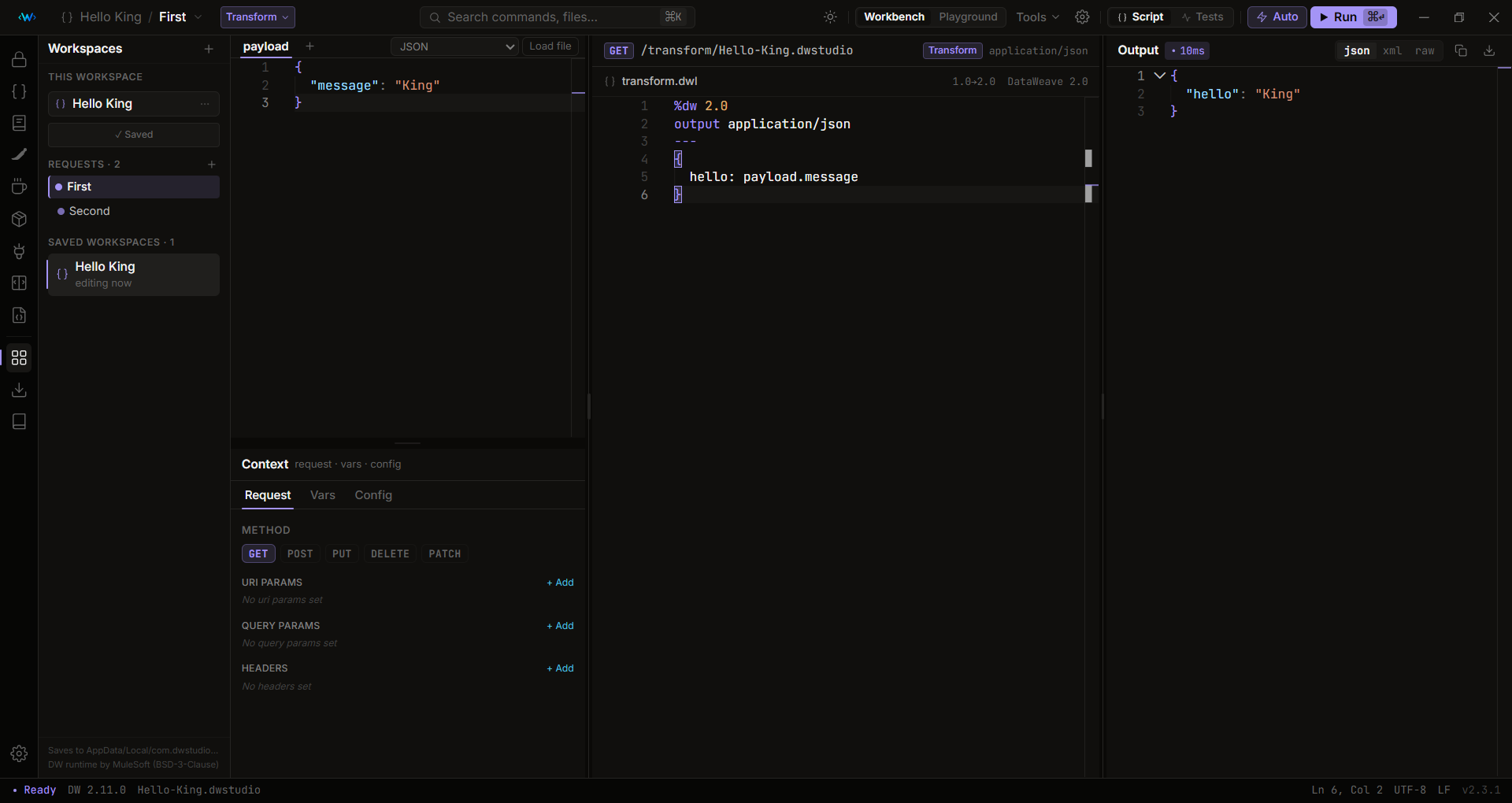
Two ways to build.
Write transforms directly or model them visually, then step through them and ship.
Script mode
Draft transforms directly with compiler-backed autocomplete and compile instantly against real input.
Flow canvas
Chain elements in sequence, modelling input/output properties and payload routing with drag-and-drop connectors.
Step debugger
Walk the pipeline node by node and inspect variables, headers and intermediate output in order.
Workspace sync
Save configurations as lightweight project packages. Resume later or hand them to a teammate instantly.
Get DataWeave Studio
Free and open source. There are three ways to run it: from the Microsoft Store, as a VS Code extension, or as a standalone desktop app.
Signed by Microsoft, so there’s no SmartScreen warning and no “unknown publisher” prompt. Updates arrive through the Store.
No installer, no admin rights, no code-signing prompt. The easiest way onto a locked-down work machine. Always the latest on the Marketplace.
Standalone build for Windows, macOS & Linux. The installers aren't code-signed yet, so your OS may warn about an "unknown publisher" on first launch. That’s expected: choose More info → Run anyway on Windows, or right-click → Open on macOS.